
Explore Before You Subscribe
Want to learn more about our courses, pricing packages, and what Ezy Education offers? Visit our Individuals page to explore all available options before creating your account.
Explore Courses & Pricing1
Create Your Account
Two easy ways to register
Registration Options
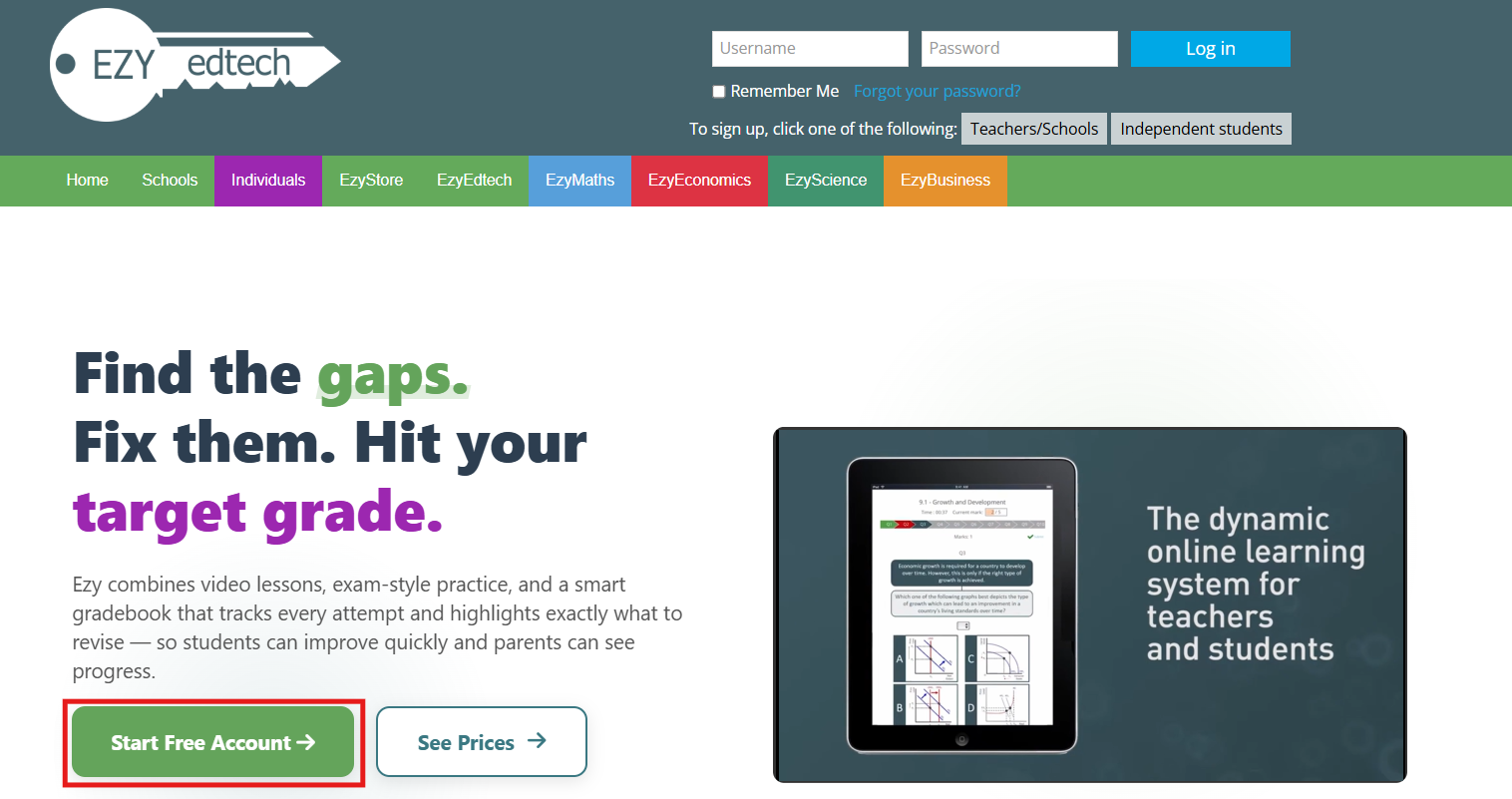
- Option 1: Click the "Independent Students" button on the homepage
- Option 2: Go to "Individual" menu → Click "Start Free Account"
- Both options take you to the same registration page
Quick Tip
Registration is completely FREE! No credit card required at this stage. You'll only pay when you choose to subscribe to premium courses.
 Option 1
 Option 2
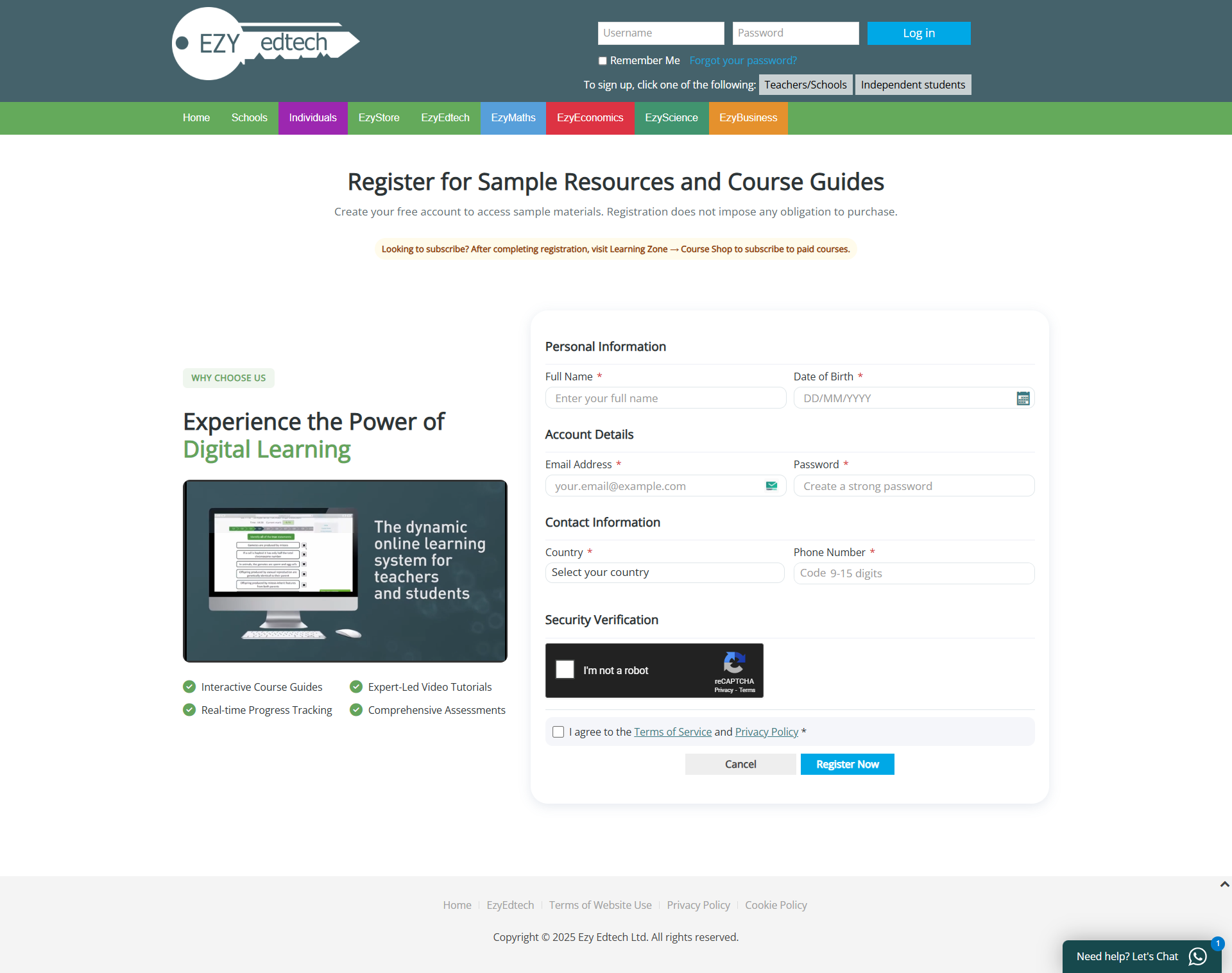
Fill Registration Form
- Enter your personal details (name, email, etc.)
- Create a secure password
- Accept terms and conditions
- Click "Register" to complete
 Registration Form
2
Check Your Email
Confirm your registration
What Happens Next?
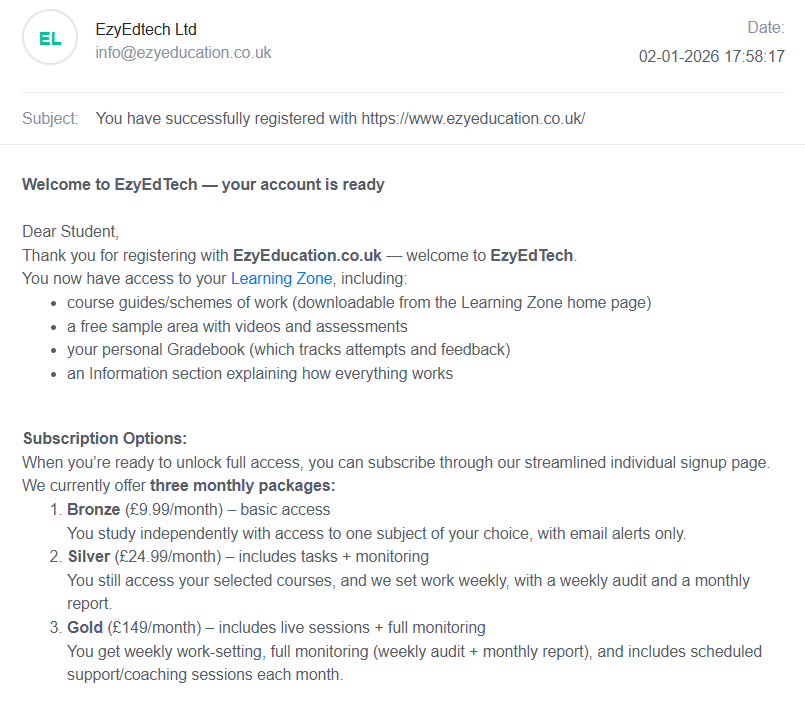
- You'll receive a confirmation email from Ezy Education
- Email typically arrives within 1-2 minutes
- Check your spam/junk folder if you don't see it
- You'll be automatically redirected to the Learning Zone after registration
Important
Save the email for your records. It contains your login details and important account information.
 Email Confirmation
3
Explore the Learning Zone
Your dashboard overview
Navigation Options
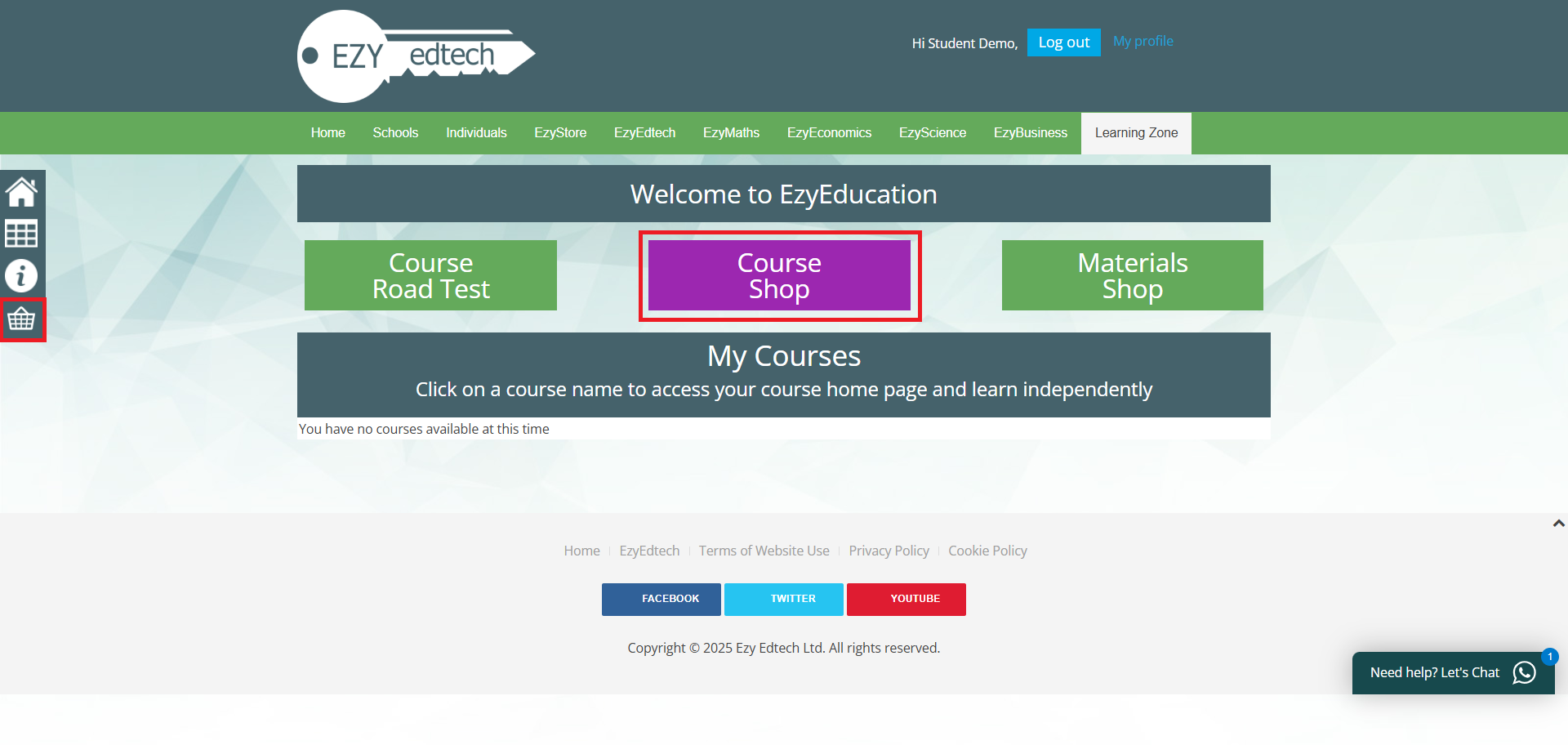
- Course Road Test: Try free taster activities before subscribing
- Course Shop: Subscribe to paid courses (main option)
- Materials Shop: Buy additional learning resources at ezystore.uk
- Gradebook: Track your progress (left sidebar)
- Info Button (i): Learn about Learning Zone features
Pro Tip
Click "Course Shop" or (the basket icon) to start subscribing to your courses. This is your main destination!
 Dashboard
4
Choose Your Courses
4-step subscription form
Step 1: Select Level
- Choose your education level (GCSE or A-Level)
- You can select GCSE and A-Level subjects in higher plans
- Click "Next" to proceed to subject selection
Info Modal
Before starting, an info modal appears explaining: How to Subscribe, How it Works, FAQs, and Help & Support. Read through it for helpful guidance!
 Step 1 of 4
Step 2: Select Subjects
- Choose from available subjects (Biology, Chemistry, Physics, Maths, Business, Economics)
- Select exam board and specific course options
- Add multiple subjects based on your subscription plan
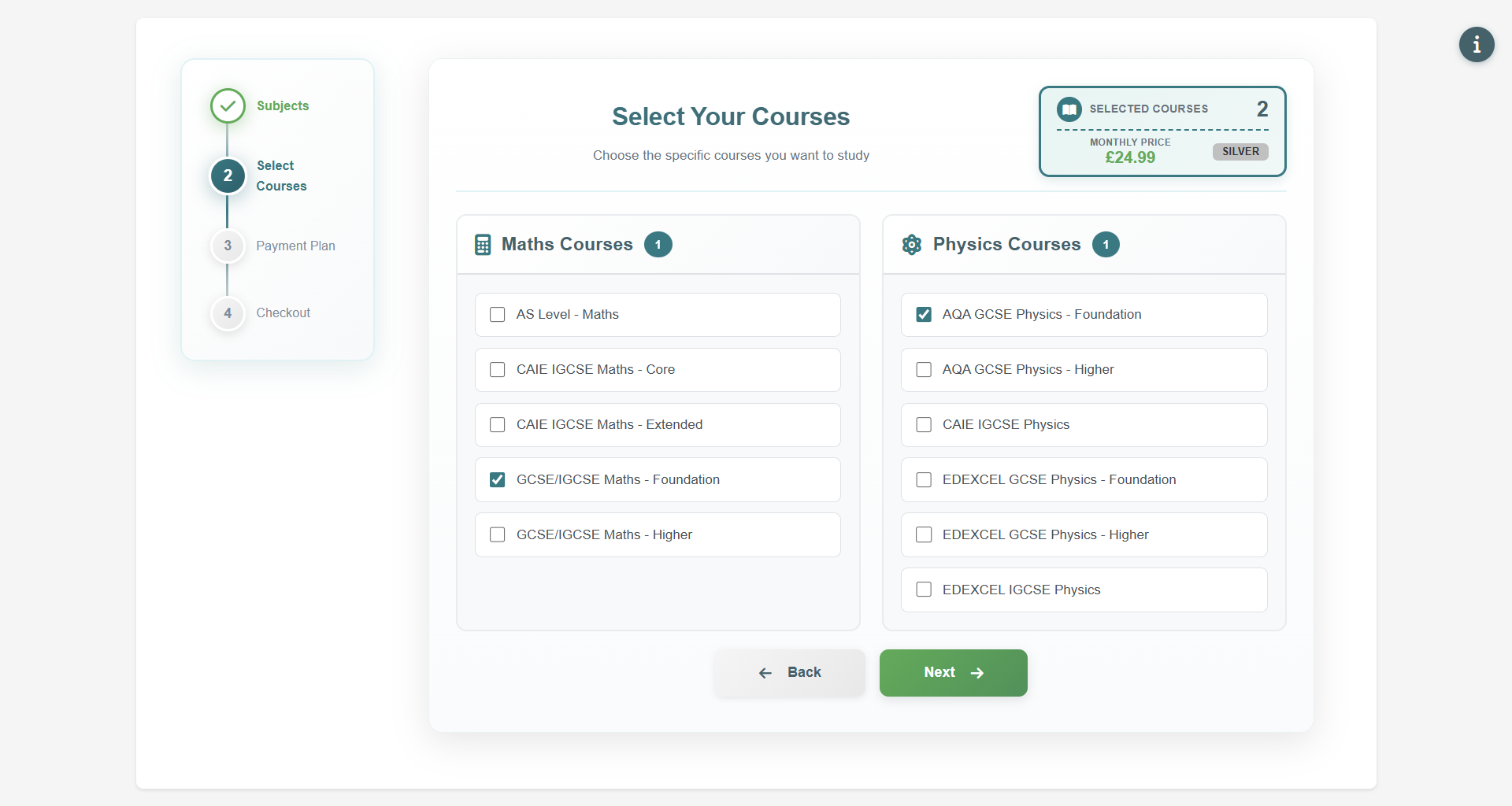 Step 2 of 4
Step 3: Choose Subscription Plan
- Bronze: 1 course - £11.99/month or £143.88/year
- Silver: Up to 3 courses - £24.99/month or £299.88/year (POPULAR)
- Gold: Up to 5 courses + coaching - £149/month or £1788/year
- Toggle between Monthly and Yearly billing
Save Money
Yearly subscriptions offer better value! Plus, you can cancel anytime with no penalties.
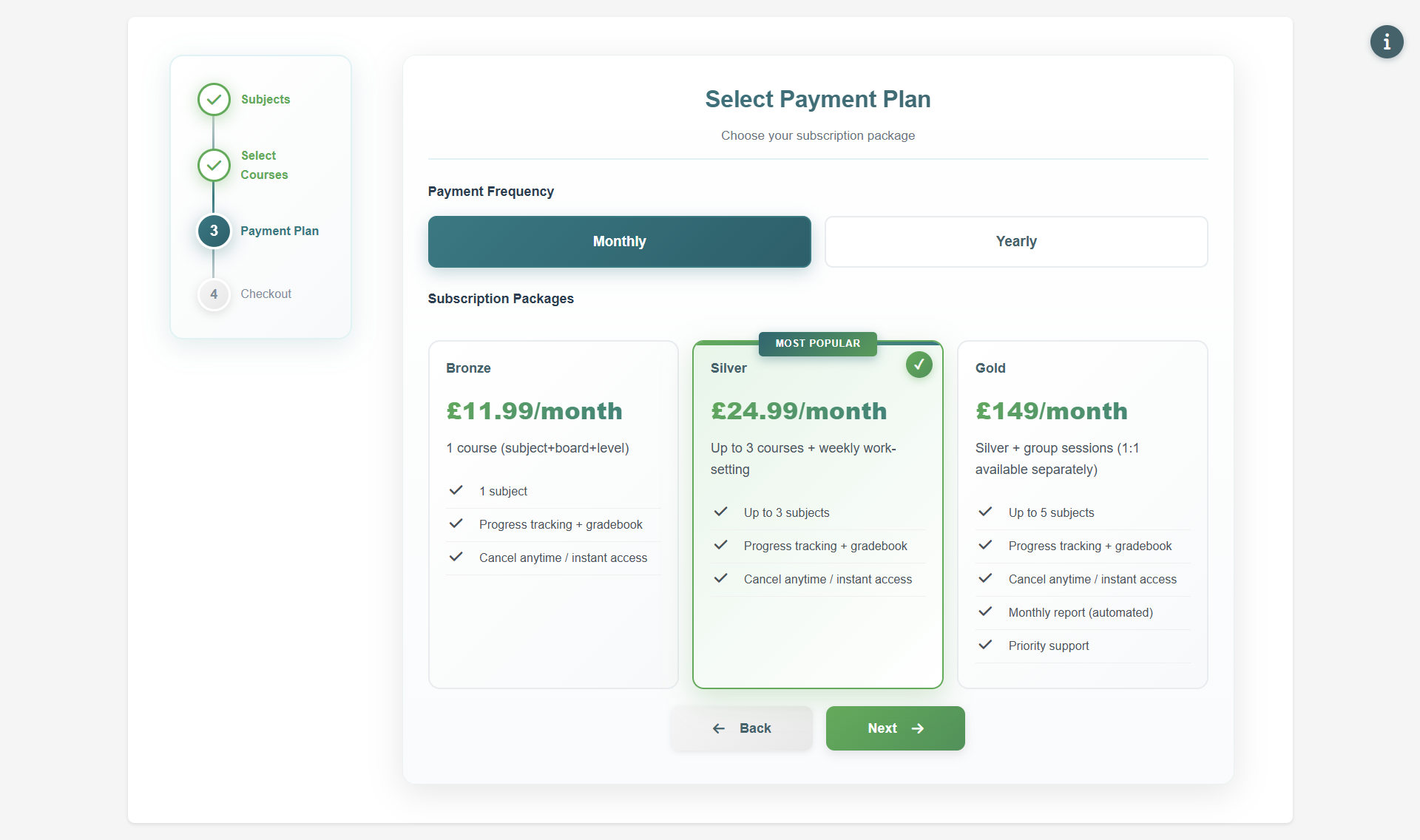 Step 3 of 4
Step 4: Review & Add to Cart
- Review your selected courses and subscription plan
- Check the total price (monthly or yearly)
- Click "Add to Cart" button
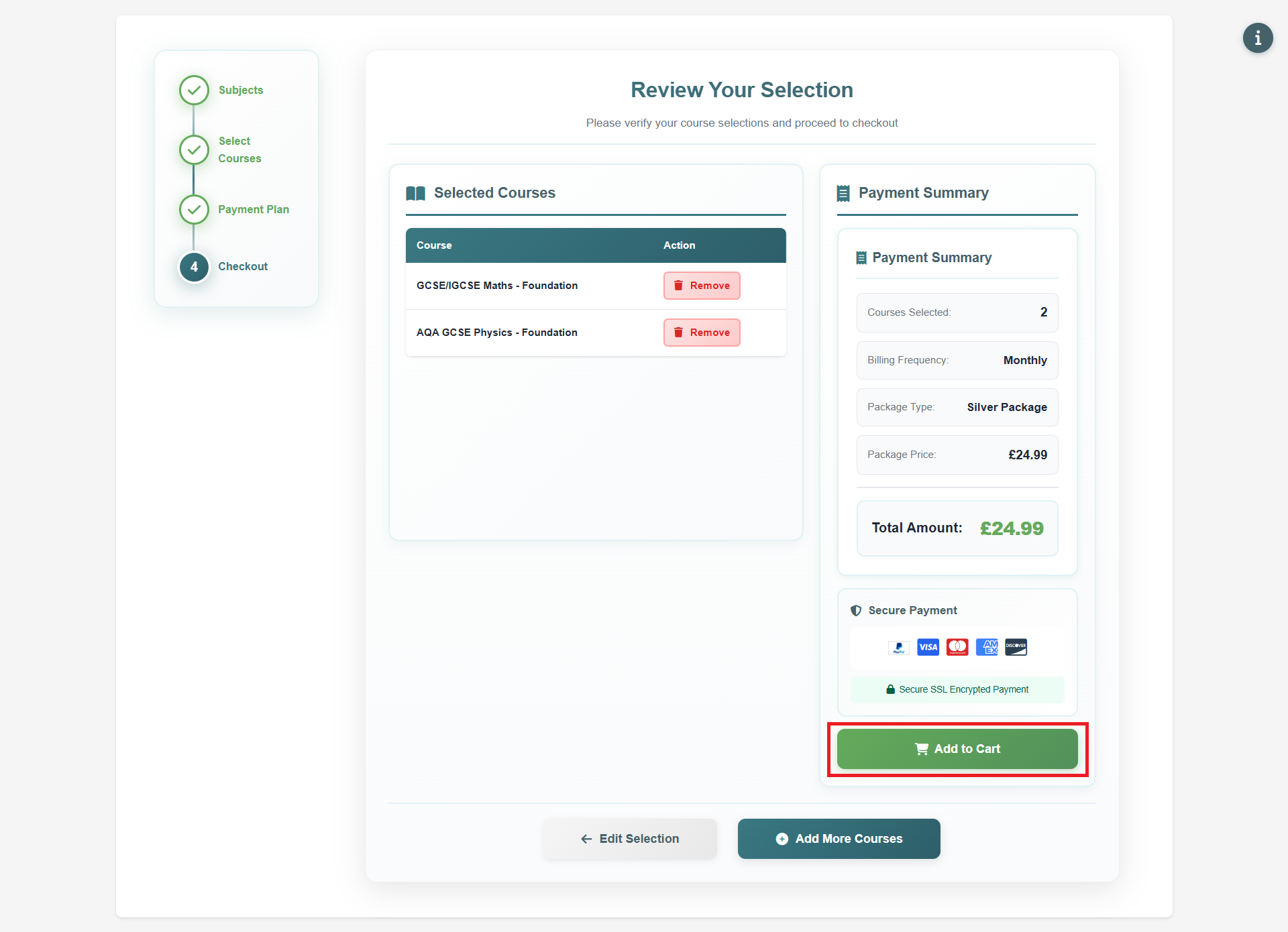 Step 4 of 4
5
Complete Payment
Secure checkout via PayPal
Payment Options
- Click "Proceed to Payment" to checkout
- Pay with your PayPal account
- Or use Credit/Debit card through PayPal (no account needed)
- Complete the payment to activate your subscription
🔒 Secure Payment
All payments are processed through PayPal's secure platform. Your financial information is never stored on our servers.
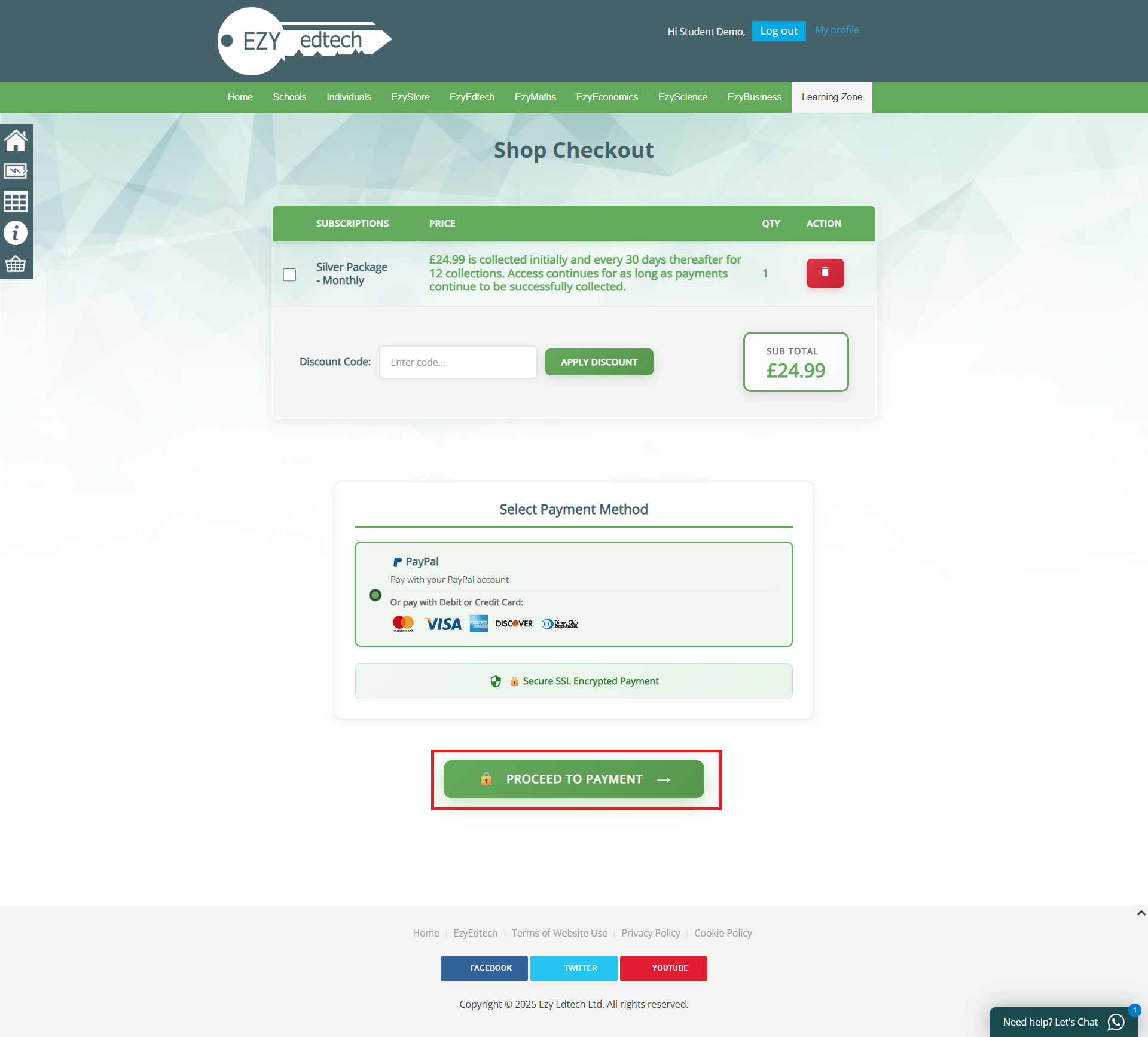 Secure Checkout
6
Start Learning!
Access your courses immediately
You're All Set!
- After successful payment, you'll be redirected to the Learning Zone
- All your subscribed courses will be instantly available
- Live chat support available if you need help
Getting Started
We recommend starting with the Course Road Test to familiarize yourself with the platform before diving into your paid courses!
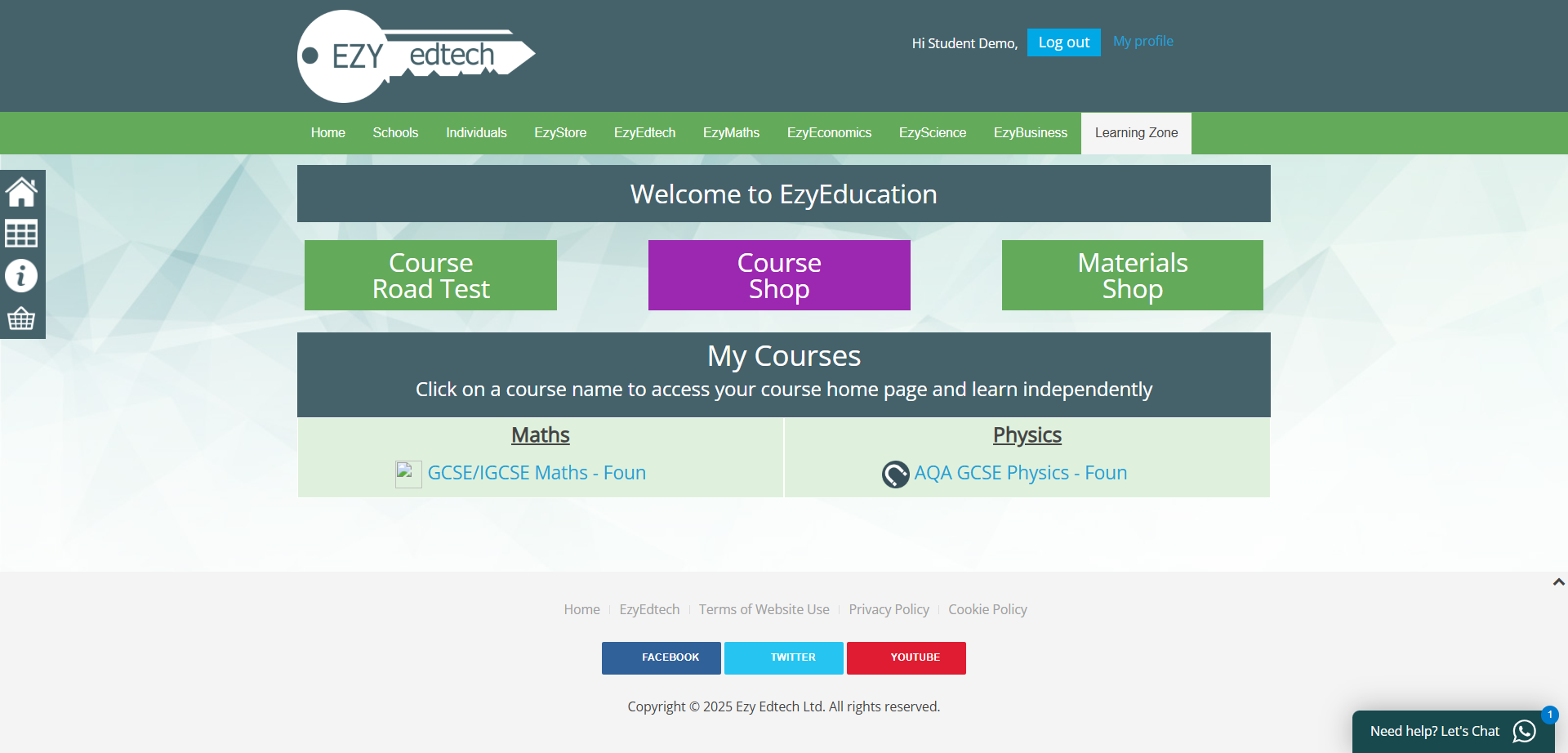 Your Dashboard
Ready to Get Started?
Join thousands of students achieving their target grades with Ezy Education